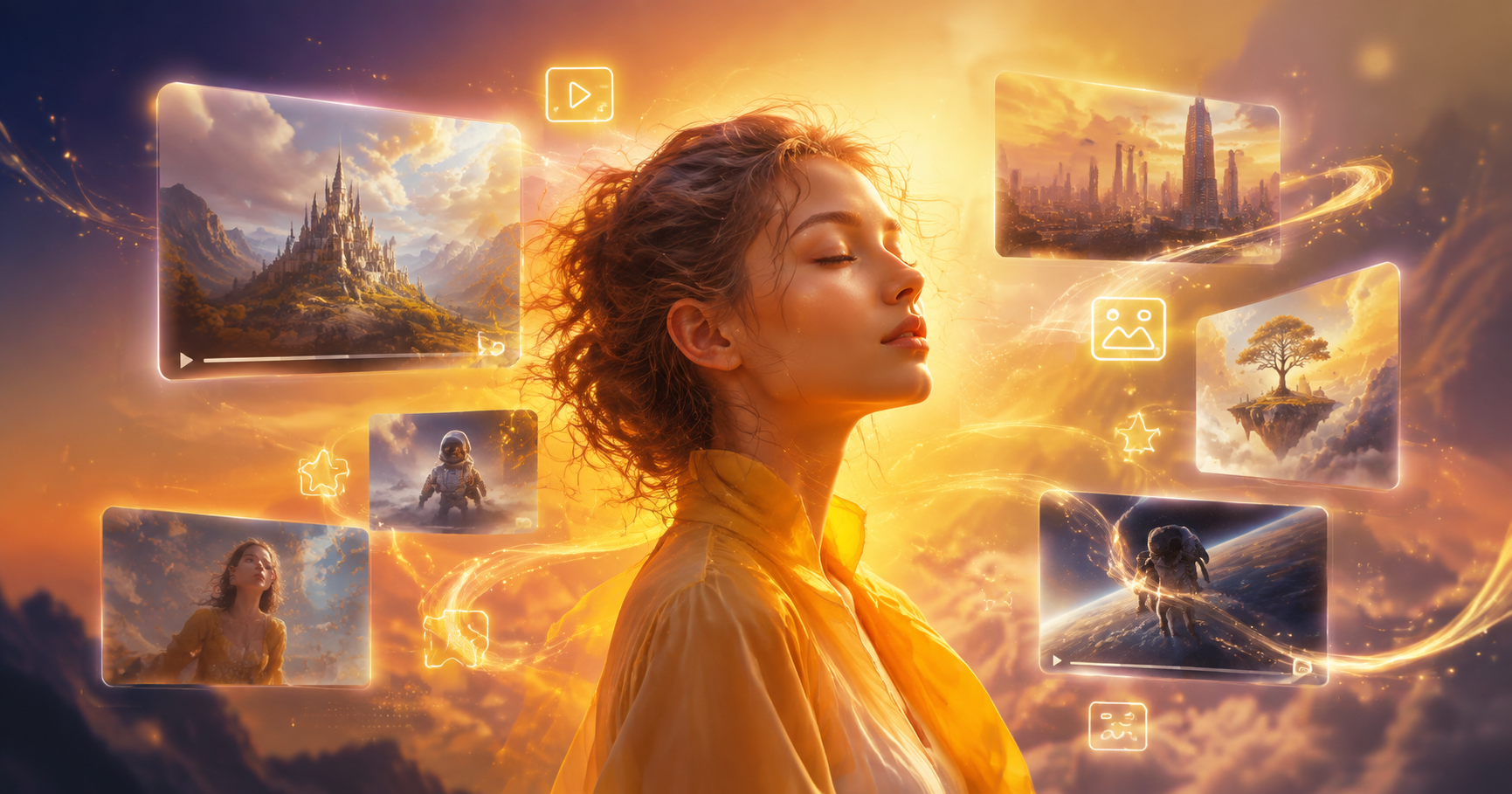
An outdoor portrait AI prompt describes a person in a real open-air setting and tells the model how to light them: who the subject is, where they stand, what the sun does, how soft the background blur should be, and what mood the photo carries. A simple line such as man in a forest returns a generic face and flat light, while a structured prompt locks identity first, names the setting, specifies the light direction, adds a portrait lens and shallow depth of field, and ends with an aspect ratio.
If you want to settle on a warm framing before writing the final scene prompt, start from your own photo. Zikzik transforms one uploaded photo into cinematic portraits, cover shots, glamour looks, makeup styles and themed lifestyle scenes, giving you a stylized reference you can react to. ChatGPT image tools, Gemini or Nano Banana, Midjourney, DALL E, Leonardo, Stable Diffusion and Adobe Firefly all respond to the same layered brief, and dedicated photo tools add face preservation controls on top.
This guide gives you the reusable formula, outdoor light and setting choices, 30 plus copy-ready prompts, a photo-first workflow, and the mistakes that make AI outdoor portraits look pasted on.
What Is an Outdoor Portrait AI Prompt
An outdoor portrait AI prompt places a person in nature or an open public space and photographs them with available light, for example a golden hour field, a sunlit forest path, a beach at sunset, a mountain ridge, a misty meadow or a quiet garden. Unlike a studio prompt that assumes softbox light, it must name the sun position and the surrounding environment because the model has no built-in reading of real outdoor light.
There are two entry points:
- Photo to outdoor portrait. Upload a clear face photo and tell the model which setting and light to apply while holding identity. This is where face lock language matters most.
- Text to outdoor portrait. Describe a model, outfit, location and light from scratch when you do not need a likeness.
Every result is a concept for social content or a mood board, not a guarantee of a specific landmark or a commercially licensed backdrop.
The 7 Part Outdoor Portrait Prompt Formula
Build every prompt in the same order. Lead with the face lock so the model preserves identity before it changes location or light.
| Part | What to name | Weak wording | Strong wording |
|---|---|---|---|
| 1. Face lock | Keep identity, features, age and skin tone | look like me | keep my exact face, likeness, features, age and skin tone unchanged, do not beautify or regenerate the face |
| 2. Subject and pose | Who, clothing, relaxed natural pose | nice pose | standing on a fallen log, hands resting naturally, calm confident expression looking slightly away |
| 3. Outdoor setting | Named location with texture | nature background | sunlit oak forest path, tall grass, dappled leaves, weathered tree trunk |
| 4. Light state | Sun direction and time of day | good lighting | golden hour backlight with warm rim glow on hair and shoulders |
| 5. Lens and blur | Focal length and depth of field | blurry background | 85mm portrait lens, shallow depth of field, creamy bokeh behind the subject |
| 6. Mood and grade | Palette and photographic tone | warm vibe | amber and honey tones, film grain, soft natural color grading, documentary feel |
| 7. Ratio | Output shape | portrait | 3:4 vertical portrait, subject sharp, background softly blurred |
A compact template:
Keep my exact face, likeness and skin tone unchanged. [Subject and pose] in [named outdoor setting], [light state], [lens and blur], [mood and palette], photorealistic natural portrait, [ratio].
Lock one location and one light state per prompt. Outdoor photos fail when the model is asked to stand on a beach and a mountain in the same frame, or to mix sunrise and sunset light.
Choose the Setting and Light Before You Write
Each outdoor look has its own light character. Pick one direction, then reuse the face lock and camera language across variations.
Golden hour backlight
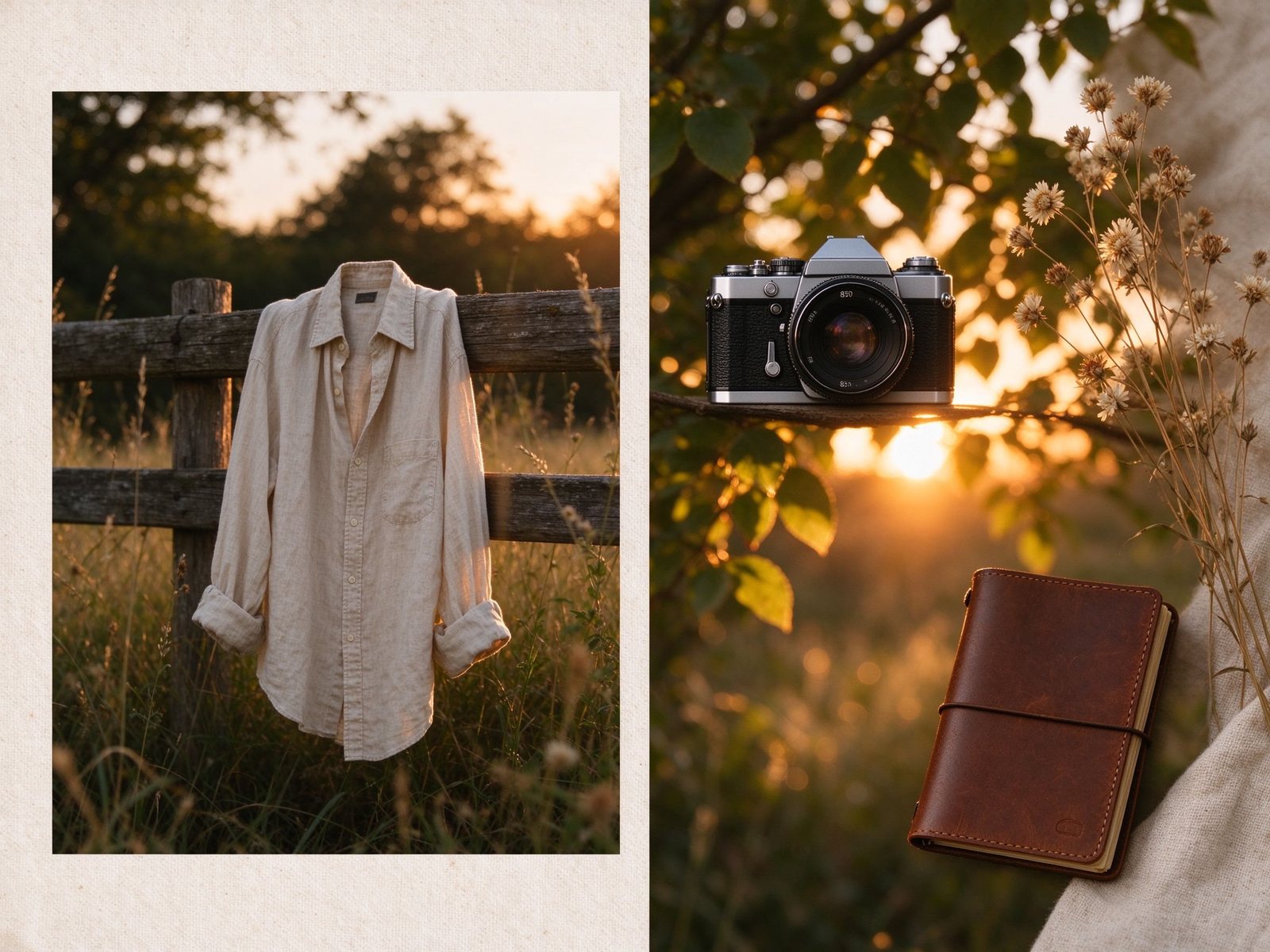
The low sun sits behind the subject and wraps a warm rim around hair and shoulders. Ask for a warm backlight, rim glow, lens flare from the low sun and an amber honey palette. This is the most flattering default because the face stays soft while the edge glows.
Forest dappled light
Sun filters through the canopy into patches on skin and clothing. Ask for dappled golden light, shafts through leaves, moss and fallen logs, a green bokeh behind the subject. Keep the subject sharp and let the forest fall into smooth blur.
Beach sunset
Warm sunlight reflects on wet sand and shallow water. Ask for reflections on wet sand, soft waves, long shadows, a glowing orange sky and a relaxed seaside pose. Keep the sea soft behind rather than sharp and busy.
Mountain and meadow
A broad natural setting with depth and open sky. Ask for distant peaks or tall grass, atmospheric haze, a wide but gentle composition, and the subject grounded in the foreground rather than floating.
Lake reflection and garden
Calm water mirrors the sky, or a garden gives layered greenery and soft shade. Ask for reflections in still water, shaded green foliage, natural daylight that is even on the face, and a calm timeless tone.
Overcast soft daylight
A cloudy day gives even, shadow-free light that flatters skin. Ask for soft overcast daylight, muted natural greens, no hard shadows, a gentle documentary portrait feel.
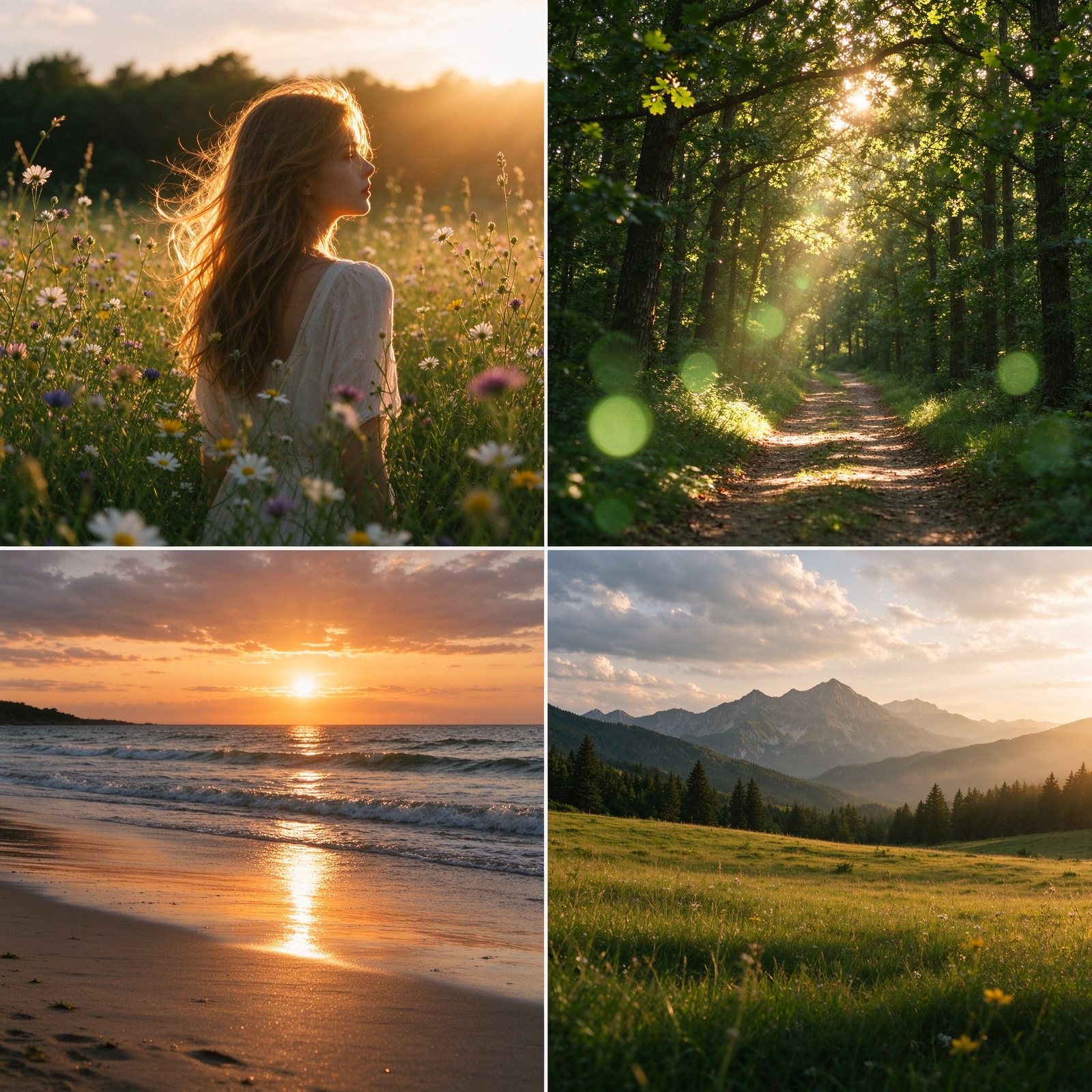
Illustrative light directions: the same face lock brief changes completely when sun position, location and blur shift between these six outdoor looks.
Turn Your Own Photo Into an Outdoor Reference
Most outdoor prompts start with a selfie you already have. A dedicated image model can apply the scene directly, but a useful intermediate step is to first turn the photo into a stylized reference you can judge.
Zikzik sits at this first stage. Upload one photo and choose a look such as cinematic portrait, cover shot, glamour look, makeup style, vintage or themed scene. The result is a mood and framing reference, and you then carry that direction into an outdoor prompt that adds the setting, light and lens.
A sensible two step workflow:
- Photo to reference. Upload the photo to Zikzik, generate a cinematic or cover-shot version, and save the framing and mood you like. Use the Hindi interface if that is easier, since Zikzik provides Hindi and several other language options alongside English.
- Reference to outdoor prompt. Take the chosen look into a photo-to-image tool, lead with the face lock, then add the setting, light state, pose, lens blur, palette and ratio.
Treat the Zikzik result as a styling reference, not the final outdoor photo. It does not invent a real landmark, and it does not guarantee a specific location.
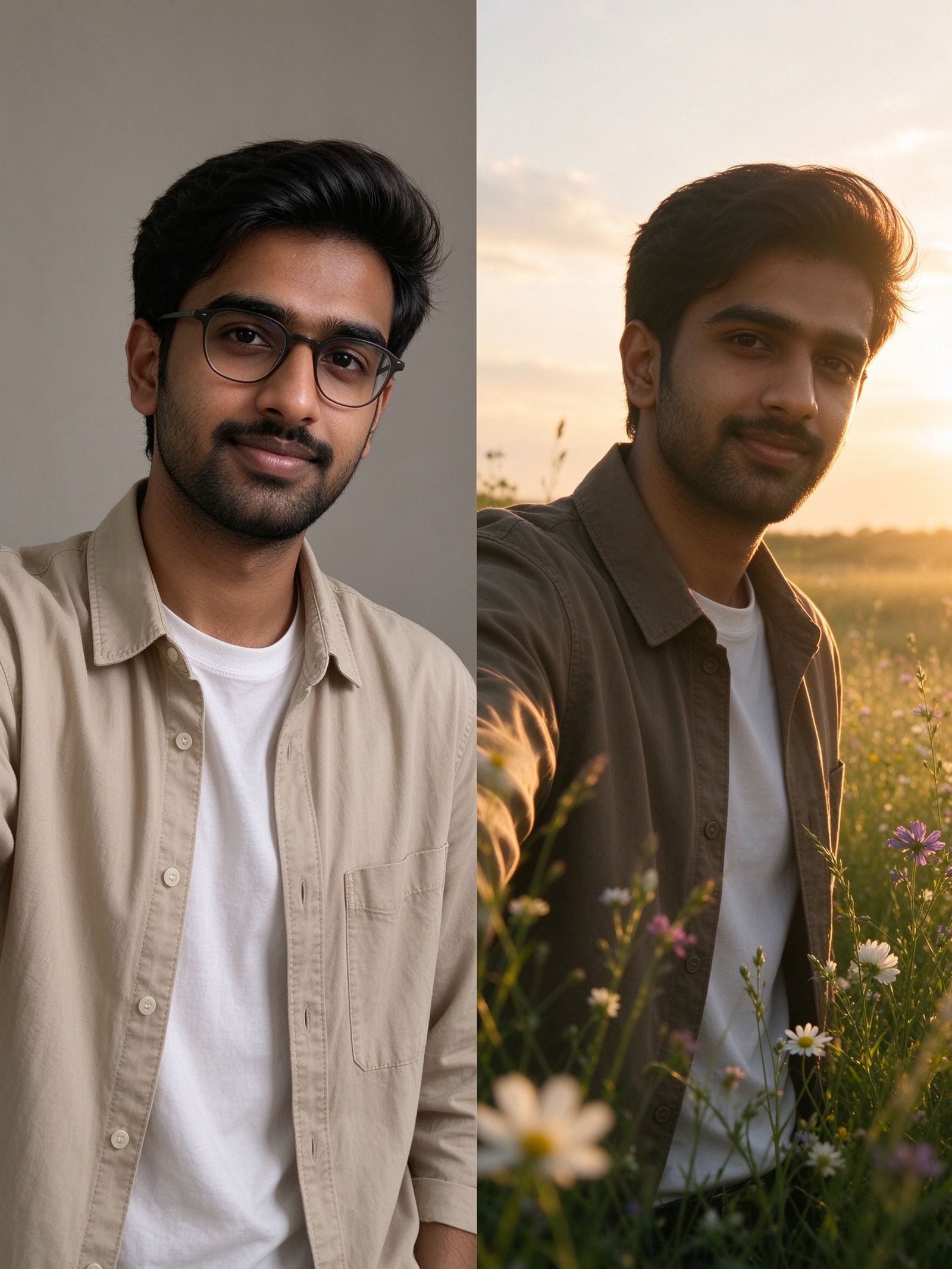
Concept workflow: personal photo to stylized reference to final outdoor prompt. The reference guides mood, and the final render holds identity and applies the scene.
30 Plus Copy Ready Outdoor Portrait Prompts
Swap the setting, light or ratio to personalize. Keep the opening face lock line in every version.
Golden hour backlight
- Keep my exact face, likeness and skin tone unchanged. Standing on a small hill among wildflowers at golden hour, warm backlight with rim glow on hair and shoulders, soft breeze in the clothing, amber and honey tones, 85mm lens, shallow depth of field, dreamy bokeh, 3:4 portrait.
- Keep my face unchanged. Sitting in tall grass at sunset, low sun behind me, golden rim light on the outline, warm sky behind, film grain, natural color grading, 3:4.
- Keep my likeness unchanged. Walking along a field path as the sun dips low, long shadows on the grass, warm backlight, relaxed motion, documentary lifestyle feel, 4:5.
- Keep my exact face. Standing at the edge of a wheat field at golden hour, lens flare from the low sun, warm glow on the hair, creamy blurred field behind, 85mm f1.8, 3:4.
- Keep my skin tone unchanged. Silhouette style portrait against an orange sunset sky, rim light on shoulders, exposed for the background, calm expression, 3:4.
Forest dappled light
- Keep my exact face, likeness and skin tone unchanged. Standing beneath a tall oak in a green forest path, dappled golden light filtering through leaves, moss and fallen logs around, green bokeh behind, relaxed pose, 3:4.
- Keep my face unchanged. Leaning on a large fallen tree trunk in a forest park, soft light patches on skin and shirt, shallow depth of field, natural earthy tones, 4:5.
- Keep my likeness unchanged. Walking a narrow forest trail with shafts of light through the canopy, floating dust particles, moody introspective tone, 3:4.
- Keep my exact face. Seated on a mossy stone under the trees, even shaded light on the face, layered greenery blurred behind, calm expression, 4:5.
- Keep my skin tone unchanged. Late afternoon light through a bamboo grove, vertical soft beams, muted greens, quiet documentary portrait, 3:4.
Beach sunset
- Keep my exact face, likeness and skin tone unchanged. Standing near the shore at sunset, warm light reflecting on wet sand, soft waves behind, long shadows, relaxed seaside pose, 3:4.
- Keep my face unchanged. Walking along the wet beach as the sun sets, sea breeze in the hair, glowing reflections on sand, gentle ocean bokeh, 3:4.
- Keep my likeness unchanged. Seated on the sand at golden hour, warm side light on the face, calm expression, soft waves in the background, 4:5.
- Keep my exact face. Standing on the shoreline with shallow water around the feet, orange sky reflected on the surface, relaxed natural look, 3:4.
- Keep my skin tone unchanged. Beach portrait at last light, warm rim glow on the shoulders, soft haze over the sea, serene mood, 4:5.
Mountain and meadow
- Keep my exact face, likeness and skin tone unchanged. Standing on an open meadow at golden hour, distant peaks in soft haze, tall grass in the foreground, gentle wide composition, 3:4.
- Keep my face unchanged. On a rocky overlook with clouds below, cool mountain light, grounded in the foreground, atmospheric depth, 3:4.
- Keep my likeness unchanged. Sitting in high wildflower grass in morning light, soft dew, thoughtful calm expression, shallow depth of field, 4:5.
- Keep my exact face. Walking a mountain trail with open sky behind, natural daylight, relaxed travel pose, soft distant blur, 3:4.
- Keep my skin tone unchanged. Meadow portrait with a warm horizon and gentle wind in the grass, timeless natural tone, 4:5.
Lake reflection and garden
- Keep my exact face, likeness and skin tone unchanged. Standing by a calm lake at sunset, warm sky reflected in still water, soft reflections, quiet mood, 3:4.
- Keep my face unchanged. Seated in a shaded garden among layered foliage, even natural daylight on the face, green bokeh, calm timeless portrait, 4:5.
- Keep my likeness unchanged. Walking beside a still pond with reeds at the edge, soft reflected sky, peaceful tone, 3:4.
- Keep my exact face. Standing under garden trees with dappled shade, relaxed natural pose, muted greens, documentary feel, 4:5.
- Keep my skin tone unchanged. Lakeside portrait at morning, soft haze over the water, even light, gentle color grade, 3:4.
Overcast soft daylight
- Keep my exact face, likeness and skin tone unchanged. Soft overcast daylight in a city park, no hard shadows, muted natural greens, even flattering light, 4:5.
- Keep my face unchanged. Under cloudy sky on a quiet path, gentle shadow-free light, natural skin texture, documentary portrait, 3:4.
- Keep my likeness unchanged. Garden portrait in soft diffuse morning light, calm neutral palette, background softly blurred, 4:5.
- Keep my exact face. Meadow under a grey soft sky, even light, timeless natural tone, no harsh contrast, 3:4.
- Keep my skin tone unchanged. Overcast shoreline portrait, soft mist on the water, muted blue and green grade, calm expression, 4:5.
Tools to Write and Render the Prompt
Write the brief in any notes app, then paste it into a photo-to-image tool. The table maps each tool to the job it fits best, and you should check official terms before commercial use.
| Tool | Best for | Entry point | Notes |
|---|---|---|---|
| Zikzik | Turning a personal photo into a cinematic, cover or themed styling reference before the final outdoor render | Web and mobile, free to try, points and VIP in the app | Styling and mood reference, review official terms for reuse |
| ChatGPT image or Gemini Nano Banana | Face held photo edits with a natural language brief | Conversation with an uploaded selfie | Strong identity hold in chat based image tools |
| Midjourney | Artist grade natural and filmic outdoor styles in a Discord workspace | Subscription tiers | Review plan terms before commercial use |
| DALL E | Fast casual outdoor concepts inside a familiar chat interface | Included with ChatGPT plans | Personal and commercial per OpenAI terms |
| Leonardo AI | Style presets and dialing in setting and light | Freemium credits | Paid tiers add commercial rights |
| Adobe Firefly | Commercially safe exploration on ethically trained models | Free daily generations on an Adobe account | Outputs cleared for commercial use under Firefly terms |
For a selfie to outdoor result, lead with the face lock in a photo-to-image tool. Use Zikzik first when you want to settle on a cinematic mood or cover framing before composing the final scene.
Common Outdoor Portrait Prompt Mistakes
- Letting the face drift. Skip the face lock and the model regenerates a stranger. State identity, features, age and skin tone preservation in the opening line.
- Naming two locations at once. One setting per render, such as forest or beach, never both in one frame.
- Mixing light states. Sunrise cool gold and sunset amber do not combine; pick one time of day.
- Over describing the background. A long list of props steals focus. Name one setting and blur the rest.
- Forgetting the lens. Add 85mm or 50mm and shallow depth of field so the background becomes soft rather than sharp and busy.
- Hard shadows on the face. Ask for backlight, side light or even overcast light instead of harsh overhead sun.
- Expecting a single perfect shot. Generate four variations, keep the closest, and refine light or clothing rather than restarting.
Rights, Privacy and Safety
- Commercial rights vary. Adobe Firefly states commercially safe outputs, while other platforms tie commercial use to paid plans. Read current terms before posting client or brand work.
- Privacy. Upload selfies only to services whose privacy policy you have read. Zikzik lists its privacy policy and FAQ on the official site.
- Do not name a real private residence, a protected sensitive site or a recognizable person as a backdrop in the prompt. Use a generic forest, beach or garden instead.
- Respect local customs when a scene draws on a region or community motif, and avoid symbols you do not understand.
- Compare the result to the original selfie before sharing. Reject any render that changes age, ethnicity or skin tone.
FAQ
What makes a good outdoor portrait AI prompt
Lead with a face lock, then name one location, a specific light state, a relaxed natural pose, a portrait lens with shallow blur, a palette and a ratio. Form and light beat generic adjectives such as warm or nice.
How do I keep my face the same in AI outdoor portraits
Open the prompt with an explicit lock: keep my exact face, likeness, features, age and skin tone unchanged, and do not beautify or regenerate the face. Use a clear, well lit selfie as the reference.
Can I turn my own photo into an outdoor scene with AI
Yes. Upload the selfie to a photo-to-image tool, state the face lock, and describe the setting, light and lens. For a polished starting mood, generate a cinematic reference first with Zikzik, then apply the outdoor scene.
Which light is most flattering for outdoor AI portraits
Golden hour backlight gives a soft face and a glowing rim, while overcast daylight gives even shadow free light. Harsh overhead midday sun is the hardest to make flattering.
Are AI outdoor portraits free to use commercially
Rights vary by model and plan. Firefly states commercially safe outputs, and others restrict commercial use to paid tiers. Check current terms before brand or client posting.
Why does my outdoor background look busy or fake
You likely skipped the shallow depth of field and named too many props. Add an 85mm lens and creamy bokeh, then keep the setting to one named place.
Ready to Build Your Outdoor Portrait
Start with a clear selfie and the face lock line, then pick one setting and one light state. Generate four variations, keep the closest, and refine light or clothing rather than restarting. Compare the result to your original before you share it.
To turn a personal photo into a cinematic, cover or themed styling reference before you draft the final outdoor prompt, explore Zikzik free on the web or mobile app.