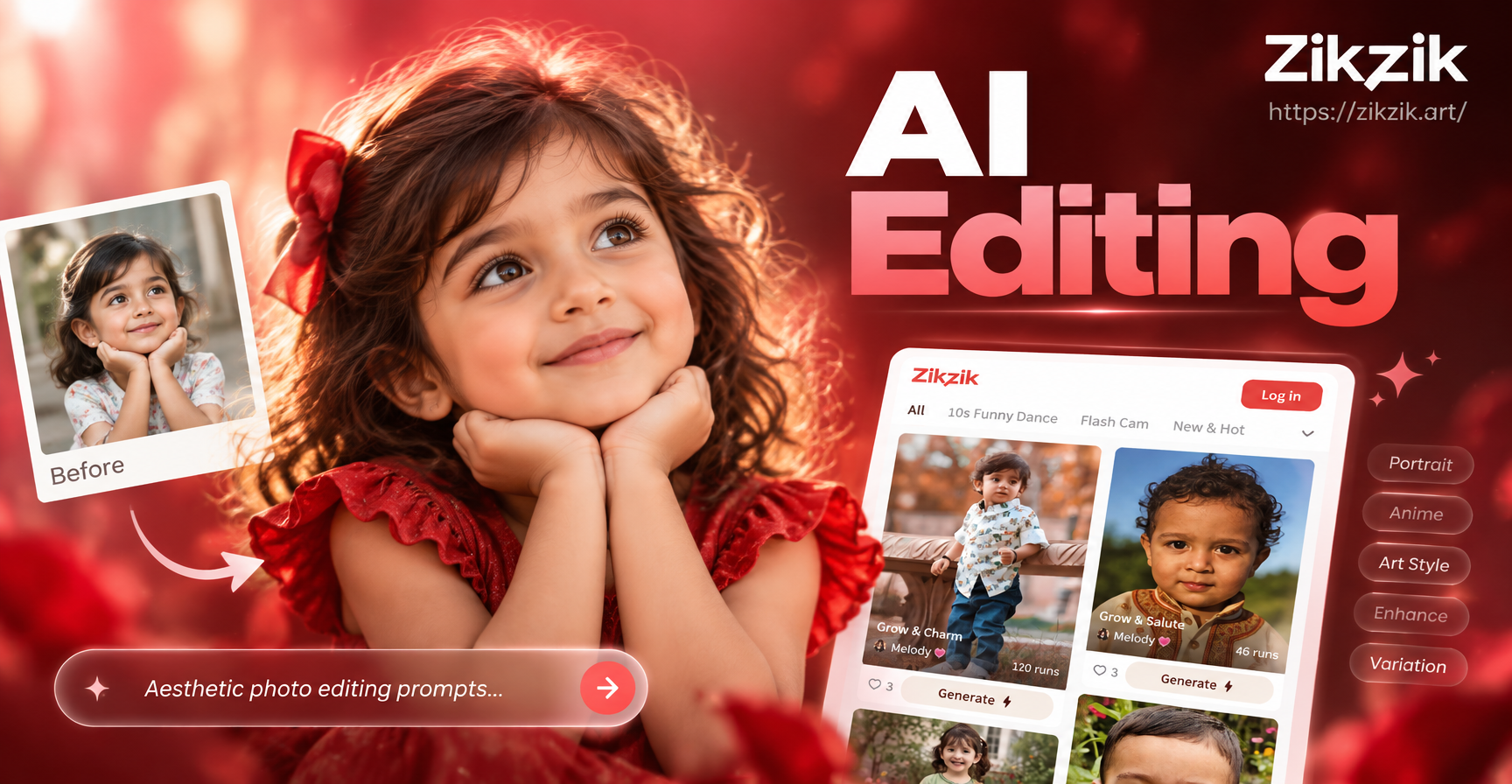
Why Aesthetic AI Photo Editing Prompts Matter
Aesthetic photo editing is less about complicated sliders and more about describing the mood you want. The right prompt tells the AI what kind of light, color, texture, and atmosphere to add to your image. Whether you want a soft pastel look, a vintage film feel, or a golden hour glow, a precise prompt helps the zikzik app deliver consistent results instead of random filters.
How to Use These Prompts in Zikzik
Zikzik is a mobile app available on Google Play. It combines text to image and image to image tools with more than a million style filters. For photo editing, the most useful workflow is image to image. You upload your photo, paste one of the aesthetic AI photo editing prompts below into the text field, and choose a style template that matches your goal. The app then transforms your original image while keeping the subject recognizable.
Here is the basic process:
- Download the zikzik app from Google Play.
- Open the image to image or photo editing tool.
- Upload a clear, well lit photo as your starting point.
- Copy one prompt from this list and paste it into the prompt box.
- Select an aesthetic background style from the filter library if you want extra control.
- Generate and download your result.
12 Aesthetic AI Photo Editing Prompts to Copy Right Now
Each prompt below works with the zikzik image to image feature. You can use them as they are or tweak small details like clothing colors, location, or mood. Keep the descriptive structure intact for the most consistent results.
1. Soft Morning Glow Portrait
Prompt: 'Edit this portrait into a soft morning glow aesthetic, gentle warm light coming from a large window, creamy skin tones, airy highlights, a pale neutral background, subtle film grain, dreamy editorial style, no harsh shadows.'
Adapt it by changing the light source to golden evening light or cool window light. If the result looks too smooth, add 'keep natural skin texture' at the end.
2. Vintage Film Camera Look
Prompt: 'Transform this photo into a vintage film camera aesthetic, faded warm colors, soft grain, slight orange and teal color shift, nostalgic 90s snapshot mood, gentle light leaks in the corner, realistic analog photo feel.'
This prompt works especially well for casual portraits, street scenes, and travel photos. For a stronger retro effect, replace 'slight orange and teal color shift' with 'heavy Kodak Gold color palette.'
3. Dreamy Pastel Picnic Scene
Prompt: 'Edit this image into a dreamy pastel picnic aesthetic, baby pink and cream tones, soft diffused daylight, floral details in the background, hazy air, gentle bokeh, tender and calm mood.'
Use it for outdoor photos, flat lays, or group pictures. If the pastel look is too pink, change the palette to lavender and mint green.
4. Moody Blue Hour Street Edit
Prompt: 'Turn this photo into a moody blue hour street edit, deep blue shadows, cool cyan highlights, neon signs softly glowing in the background, wet pavement reflections, cinematic color grading, quiet urban atmosphere.'
This prompt is ideal for night city shots. Avoid using it on bright midday photos because the AI may struggle to produce believable blue hour lighting.
5. Golden Hour Sunflare Portrait
Prompt: 'Edit this portrait into a golden hour sunflare aesthetic, warm low sun behind the subject, soft rim light on hair, honey tones on skin, gentle lens flare across the frame, hazy warm atmosphere, joyful and free mood.'
If the flare is too strong, add 'subtle lens flare, keep face clearly visible' to maintain a balanced portrait.
6. Minimalist Beige Fashion Flat Lay
Prompt: 'Transform this photo into a minimalist beige fashion flat lay aesthetic, clean neutral background, soft natural shadows, warm sand and oat tones, elegant object arrangement, fine fabric texture, editorial product photography style.'
Adapt it by changing the background from beige to sage green or warm gray. Keep the word 'minimalist' in the prompt to avoid cluttered results.
7. Ethereal Forest Fairytale
Prompt: 'Edit this image into an ethereal forest fairytale aesthetic, soft green mist between trees, dappled light falling on the subject, dewy leaves, magical glow, muted earthy tones, gentle atmosphere, storybook mood.'
Works best with photos that already have some greenery. If your photo is indoors, ask the app to add a blurred forest background instead of relying on the original scene.
8. Warm Autumn Coffee Shop
Prompt: 'Turn this photo into a warm autumn coffee shop aesthetic, golden brown and caramel tones, soft window light, steam rising from a cup, wooden table texture, cozy knit fabric details, comfortable and inviting atmosphere.'
Use this prompt for indoor lifestyle shots. You can replace 'autumn coffee shop' with 'winter cabin' or 'spring bakery' to change the mood while keeping the warm light.
9. Clean Girl Glow Aesthetic
Prompt: 'Edit this portrait into a clean girl glow aesthetic, fresh dewy skin, soft pink and white tones, minimal makeup look, brushed brows, glossy lips, sleek hair, bright even lighting, polished and healthy appearance.'
If you want a more natural finish, remove 'glossy lips' and add 'barely there makeup' so the app does not alter facial features too much.
10. Cinematic Travel Postcard
Prompt: 'Transform this travel photo into a cinematic travel postcard aesthetic, wide composition, rich but natural colors, teal and orange color grading, dramatic sky, balanced shadows, crisp details, timeless postcard feel.'
This prompt can improve ordinary vacation snapshots. For a brighter summer look, change 'dramatic sky' to 'clear blue sky with soft clouds.'
11. Vintage Polaroid Snapshot
Prompt: 'Edit this photo into a vintage Polaroid snapshot aesthetic, white border around the image, faded warm tones, soft blur on edges, instant camera look, slightly overexposed center, nostalgic family memory mood.'
This prompt works well for candid moments. If the border appears uneven, add 'clean white Polaroid frame' to keep the edges crisp.
12. Dark Academia Library
Prompt: 'Turn this image into a dark academia library aesthetic, warm amber lamp light, deep brown bookshelves, leather textures, dust particles in the air, muted sepia tones, scholarly and mysterious mood.'
Use this for portraits, study scenes, or still life photos. Keep the phrase 'muted sepia tones' to avoid an overly orange result.
How to Improve Weak or Generic Results
Sometimes the AI returns an edit that feels flat, loses the subject, or pushes the colors too far. These simple adjustments usually fix the issue.
Add a Light and Color Reference
Instead of saying 'make it aesthetic,' describe the exact light and palette. For example, 'soft diffused daylight, cream and sage tones' is far more useful than 'pretty colors.' The app can follow concrete visual cues better than abstract adjectives.
Mention the Original Subject
If the app changes the person or object too much, add 'keep the subject recognizable' or 'preserve original facial features.' This is especially important for portrait edits, where small AI changes can make a person look different.
Use a Style Filter as a Second Layer
Zikzik offers more than a million filters across photography, film, anime, and painterly styles. After pasting your prompt, browse the filters and choose one that matches your target aesthetic. The filter acts as a style guide while the prompt controls the fine details.
Start With a Higher Quality Photo
AI photo editing builds on the original image. A clear, well lit photo will produce a much cleaner result than a dark or heavily compressed image. If the source is blurry, the edits will be blurry too.
Common Mistakes to Avoid
- Too many conflicting styles. A prompt like 'vintage film, cyberpunk neon, pastel soft, and dark academia' confuses the model. Pick one dominant aesthetic and add one secondary detail.
- No color or light direction. Prompts without tone words often return generic Instagram filters. Always include at least one light source and one color note.
- Very long prompts with filler words. Keep the prompt readable. Remove phrases like 'absolutely stunning' or 'super beautiful.' The AI responds better to concrete visual language.
- Ignoring the original photo content. A prompt that says 'beach sunset' will not work well on a photo taken in a kitchen. Choose prompts that match the base scene or ask the app to replace the background.
Making These Prompts Your Own
The best part about aesthetic AI photo editing is that small changes create completely different results. Try swapping the location, palette, or mood words. Here is a simple formula to build your own prompt:
Edit this photo into a [style] aesthetic, [light description], [main colors], [texture or grain], [mood], [camera or film reference], [background details].
For example, 'Edit this photo into a coastal summer aesthetic, bright afternoon light, white and aqua tones, light film grain, relaxed and airy mood, 35mm camera look, ocean waves softly blurred in the background.'
You can paste that formula into the zikzik app and adjust the brackets with your own words. Keeping the structure consistent will give you more predictable edits.
Which Photos Benefit Most from These Prompts?
Aesthetic AI photo editing works on almost any image, but some subjects respond especially well.
- Portraits and selfies gain instant polish from soft glow, film, and clean girl prompts.
- Travel and street photos become more cinematic with golden hour, blue hour, and vintage postcard edits.
- Food and flat lay photos look editorial with minimalist beige and coffee shop prompts.
- Nature and outdoor images feel more magical with forest fairytale and pastel edits.
- Lifestyle scenes pair well with autumn, cozy, and Polaroid prompts.
Ready to Try These Aesthetic AI Photo Editing Prompts?
Download the zikzik app on Google Play, upload your favorite photo, and paste one of the prompts above. You do not need advanced design skills or complicated editing software. A few descriptive words and a single style filter can turn an ordinary image into a cohesive, aesthetic edit worth sharing.
Start with one prompt you like, generate a few variations, and then tweak the color or mood words until the result feels right. The more you practice, the better you will understand how the app interprets different visual cues.