What is the Best AI Photo Generator in 2024?
The quest for the best AI photo generator isn't about finding a single winner. It's about matching the right tool to your specific needs. Are you a digital artist seeking hyper-realistic portraits? A marketer needing quick product mockups? A hobbyist wanting to turn ideas into stunning visuals with zero design skills? The "best" generator depends entirely on your goals.
This comprehensive guide evaluates the leading AI image creators based on key criteria: output quality, style diversity, ease of use, control over the process, and cost. We'll explore both web-based platforms and powerful mobile applications like zikzik to give you a complete picture of the landscape.
Criteria for Evaluating AI Photo Generators
Before diving into specific tools, let's establish what makes an AI photo generator stand out.
1. Output Quality & Realism
This is the most visible factor. Does the AI produce images with coherent anatomy, realistic textures, proper lighting, and natural details? Some generators excel at photorealistic humans, while others are masters of fantastical landscapes or specific artistic mediums like oil painting.
2. Style Range & Versatility
A top-tier tool should offer more than one look. Can it generate images in the style of a Ghibli film, a cyberpunk cityscape, a classic oil painting, and a corporate headshot? The breadth of available styles determines how many different projects you can tackle with a single tool.
3. User Interface & Ease of Use
Is the platform intuitive for beginners, or does it require mastering complex prompt engineering? Some apps use simple style templates and one-click generation, while others offer deep, granular control for advanced users.
4. Control & Customization
Beyond text prompts, can you upload reference images? Adjust composition? Specify aspect ratios? Fine-tune colors? The level of control affects how closely you can guide the AI to your vision.
5. Cost & Accessibility
What's the pricing model? Free tiers, subscription plans, or pay-per-image? Also, consider accessibility: is it a web tool, a desktop app, or a mobile application you can use anywhere?
Top Contenders for the Best AI Photo Generator
1. For All-in-One Mobile Power: zikzik
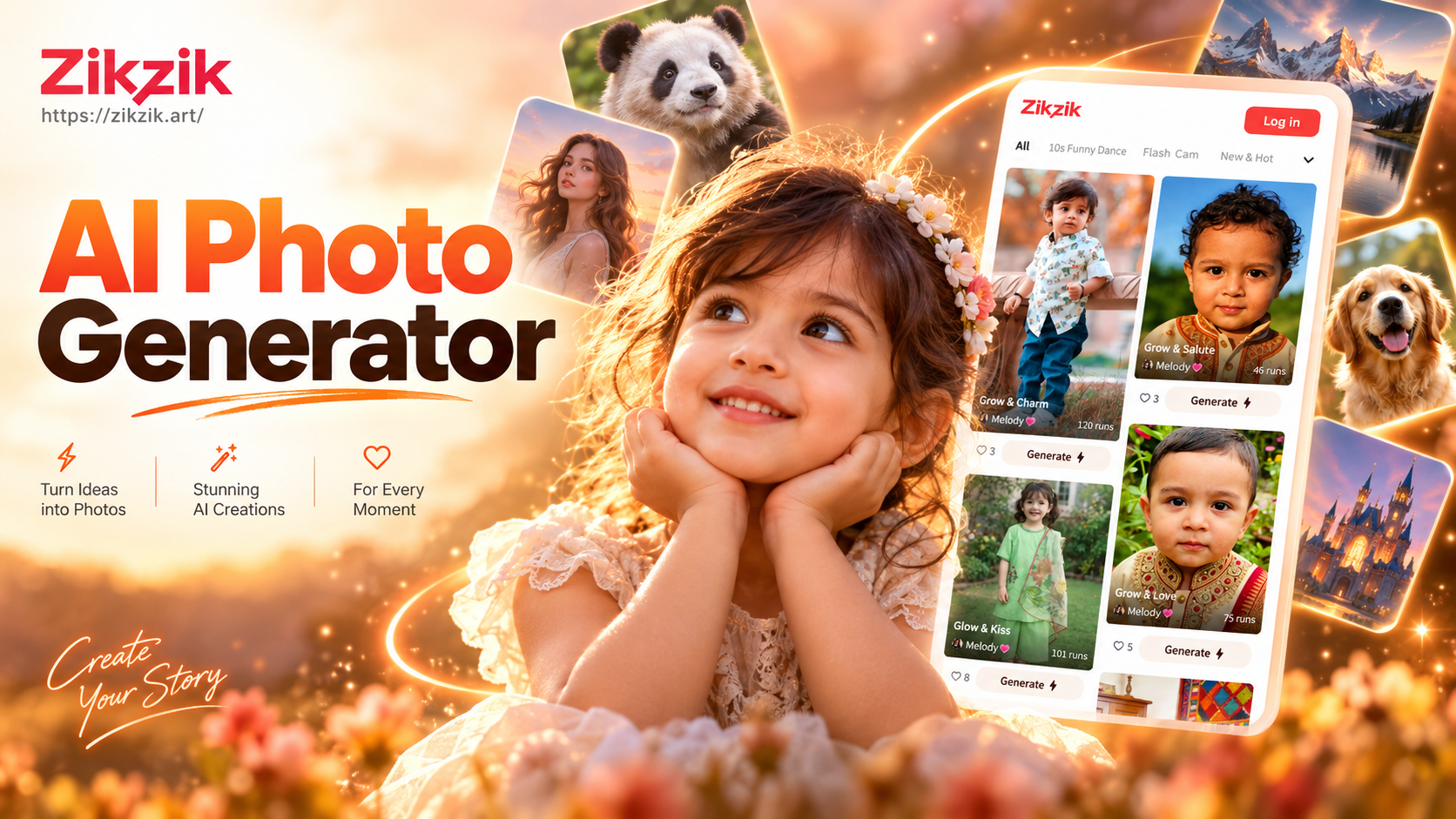
zikzik stands out as a mobile-first powerhouse that combines multiple AI creation modes into one intuitive app. It's not just a text-to-image generator; it's a complete creative suite.
Key Strengths:
- Massive Style Library: Access over a million pre-trained style filters, from realistic photography and 3D clay to anime, watercolor, and cinematic looks. You don't need to write complex prompts; just pick a style.
- Multi-Mode Generation: Generate from text (text-to-image), transform an existing photo (image-to-image), or even create videos from text or images.
- Extreme Ease of Use: The template-driven interface is perfect for beginners and pros alike. You get professional results without a steep learning curve.
- Portability: As a mobile app, you can create and edit anywhere, turning idle moments into creative sessions.
Best For: Users who want maximum style variety, simplicity, and the flexibility to create both images and videos on the go. It's ideal for social media content creators, hobbyists, and anyone who values a vast, ready-to-use filter library over complex prompt crafting.
2. For Hyper-Realism & Detail: Midjourney
Midjourney is often cited as the gold standard for artistic and highly detailed image generation, particularly for fantasy, concept art, and stylized realism.
Key Strengths: Unmatched aesthetic quality, incredible detail rendering, and a strong community for inspiration. It excels at creating cohesive, beautiful images with a distinct artistic flair.
Considerations: Accessed via Discord, which can be unintuitive. It requires skilled prompt engineering for best results and operates on a subscription model with no free tier.
Best For: Digital artists, concept designers, and professionals who need the highest possible quality and don't mind a subscription cost and a steeper learning curve.
3. For User-Friendly Web Access: DALL-E 3 (via ChatGPT & Bing)
Integrated into ChatGPT and Microsoft's Copilot, DALL-E 3 is incredibly accessible and understands natural language prompts exceptionally well.
Key Strengths: Extremely user-friendly, excels at following complex instructions and rendering text within images. It has a generous free tier through Bing Image Creator.
Considerations: Output can sometimes have a slightly cartoonish or smoothed-over look compared to the raw detail of Midjourney. There are also usage limits on free tiers.
Best For: Beginners, writers, bloggers, and marketers who need quick, conceptually accurate illustrations and infographics without technical hassle.
4. For Open-Source Power & Control: Stable Diffusion
Stable Diffusion is the engine behind many other tools. Using it through interfaces like Automatic1111 or ComfyUI offers unparalleled control.
Key Strengths: Completely free and open-source. Offers infinite customization through model fine-tuning, LoRAs, and extensive plugins. You own the process.
Considerations: Requires technical setup (local GPU or cloud service). The learning curve is very steep, suited more for developers and technical artists.
Best For: Developers, researchers, and advanced users who want total control, wish to train custom models, or integrate AI generation into their own applications.
5. For Professional Photorealistic People: Generated Photos (Specialized Tools)
Tools like Generated Photos, This Person Does Not Exist, or specific portrait modes in other AI apps focus on creating realistic human faces and bodies.
Key Strengths: Specialized in generating diverse, photorealistic human models with correct anatomy, ideal for advertising, website mockups, and character design without model releases.
Considerations: They are often single-purpose. For landscapes, objects, or artistic styles, you'll need another tool.
Best For: Marketers, UX/UI designers, and content creators who need stock photography of people with full legal safety for commercial use.
Direct Comparison: Choosing Your Tool
Let's simplify the decision:
- Choose zikzik if: You want an all-in-one mobile app with millions of styles, dead-simple operation, and the bonus of AI video generation. Perfect for quick, diverse, high-quality creation anywhere.
- Choose Midjourney if: Your priority is the absolute highest aesthetic quality for artistic projects, and you're willing to learn prompt crafting and pay a subscription.
- Choose DALL-E 3 if: You're a beginner or need a web-based tool that perfectly follows complex instructions for practical illustrations.
- Choose Stable Diffusion if: You are technically inclined, want free and complete control, and plan to customize or integrate the technology deeply.
- Choose a specialized tool if: Your need is very specific, like generating only human headshots or product photos.
Beyond Text-to-Image: The Power of Image-to-Image
The best AI photo generator workflow often combines modes. This is where tools like zikzik shine. Using image-to-image generation, you can:
- Re-style a Photo: Upload a selfie and apply a Ghibli-style filter or turn it into a painted portrait.
- Improve Existing Art: Use a rough sketch as a reference to generate a polished final piece.
- Create Consistent Characters: Use a character sheet to generate new poses and scenes while maintaining visual consistency.
This feature bridges the gap between your existing assets and AI's creative power, offering more control than pure text prompts.
The Future of AI Photo Generation
The field is moving rapidly towards:
- Higher Resolution & Coherence: Fewer visual artifacts, better understanding of physics and space.
- Video Generation: Seamless extension from still images to short video clips, as seen in zikzik's capabilities.
- Greater User Control: More intuitive interfaces for composition, pose, and lighting control without complex jargon.
- Integration: AI becoming a standard feature in existing creative software like Photoshop and Canva.
The "best" tool today might be surpassed tomorrow, but the core principle remains: the best AI photo generator is the one that empowers your creativity most effectively.
Final Verdict
There is no single "best" AI photo generator for everyone. For versatility, ease of use, and mobile convenience, an all-in-one app like zikzik is an exceptional choice, especially for those who value a vast style library and multi-format output. For unmatched artistic detail, professionals often lean towards Midjourney. For beginners seeking accessibility, DALL-E 3 is a fantastic starting point.
Your best bet is to try a few. Many offer free credits or trials. Start with a clear project in mind, test different platforms, and see which tool feels most intuitive and delivers the results you envision. The perfect AI partner is waiting to bring your ideas to life.